
Inbox and comments
How to read and reply to direct messages
Read a client's Instagram direct messages and Facebook Messenger conversations in Kredia, and reply with text within 24 hours of the person's last message.
How-toWho it's for:OwnerAdminEditorInstagramFacebook
Checked on 24 October 2026Open in Kredia
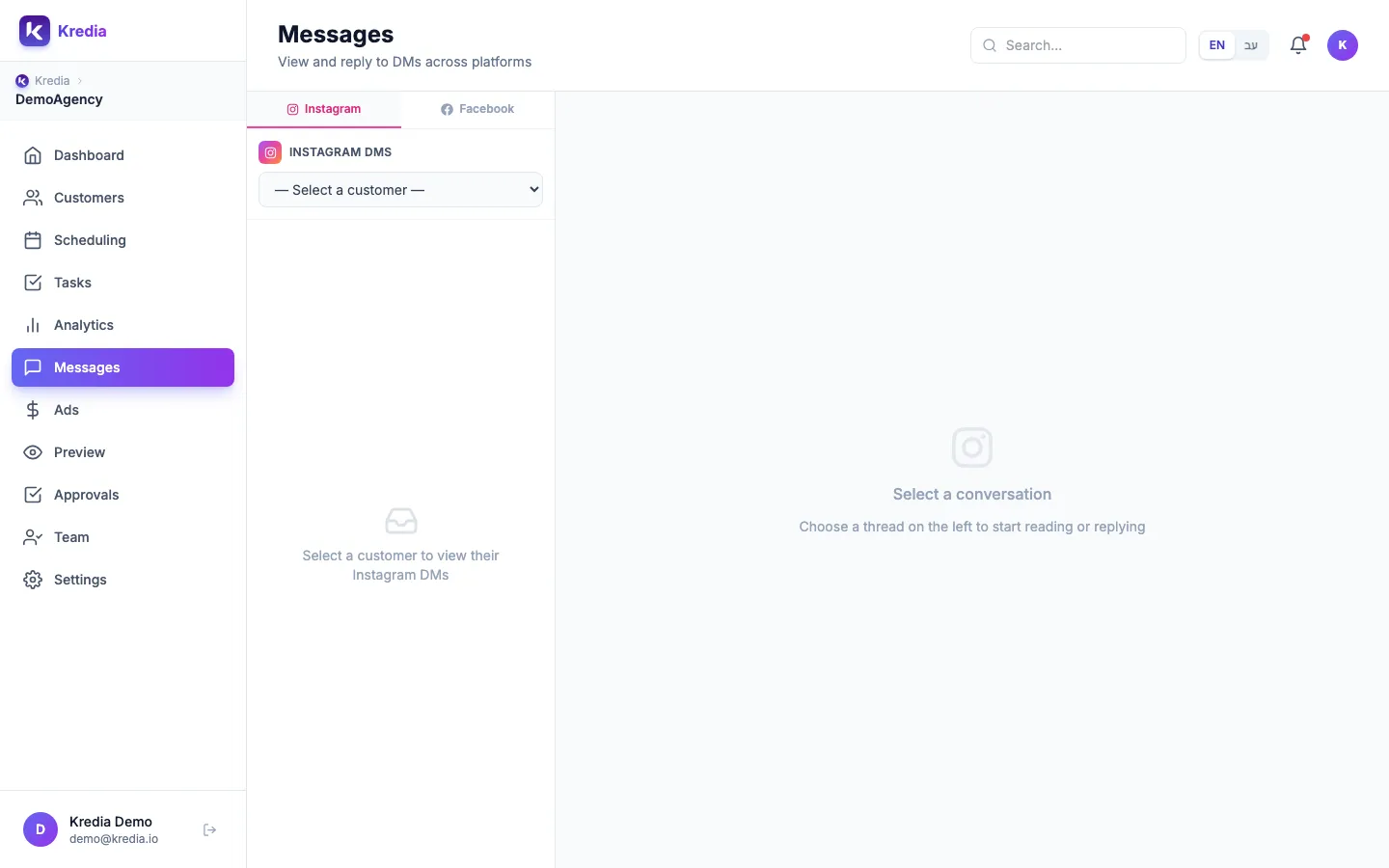
The Messages page shows each client's Instagram direct messages and Facebook Messenger conversations in one place. You can read a whole thread and reply with text, without opening the Instagram or Facebook app.
Before you start
- The client's Instagram or Facebook account is connected to Kredia. See How to connect Instagram or How to connect a Facebook Page.
- The connection allowed messaging. When you (or the client) connected the account, every permission Kredia asked for was accepted.
- Messages covers Instagram and Facebook Messenger only. Other networks don't have an inbox in Kredia.
Read and reply
- Click Messages in the sidebar.
- Choose Instagram or Facebook at the top of the left panel.
- Pick the client in the Select a customer list. Their conversations load below it.
- Click a conversation to open the thread on the right.
- Type your reply in the box at the bottom. Press Enter to send, or Shift+Enter for a new line.
Your reply is sent from the client's account, exactly as if they had answered in the app.
What can go wrong
- "Cannot send" when you reply. Instagram and Facebook let businesses reply only within 24 hours of the person's last message. After that, wait until they write again.
- Replies are text only. You can't send photos, voice notes or stickers from Kredia.
- Some Instagram conversations are missing. Meta limits how many message requests (from people the account doesn't follow back) outside tools can read. Accept the request in the Instagram app to move it to the main inbox.
- "Couldn't load conversations". Reconnect the account and accept the messaging permission. For Facebook, this can also happen when the Page belongs to a Meta Business portfolio and the person who connected it isn't assigned to the Page. Assign them to the Page in Meta Business settings, then reconnect Facebook. See Account shows "Expired, reconnect".
- The screen is in English. The Messages page isn't translated yet, even when Kredia is set to Hebrew.
See also
Was this article helpful?